Advanced Interactive Visualization in DIPY with FURY
Published:
Advanced Interactive Visualization
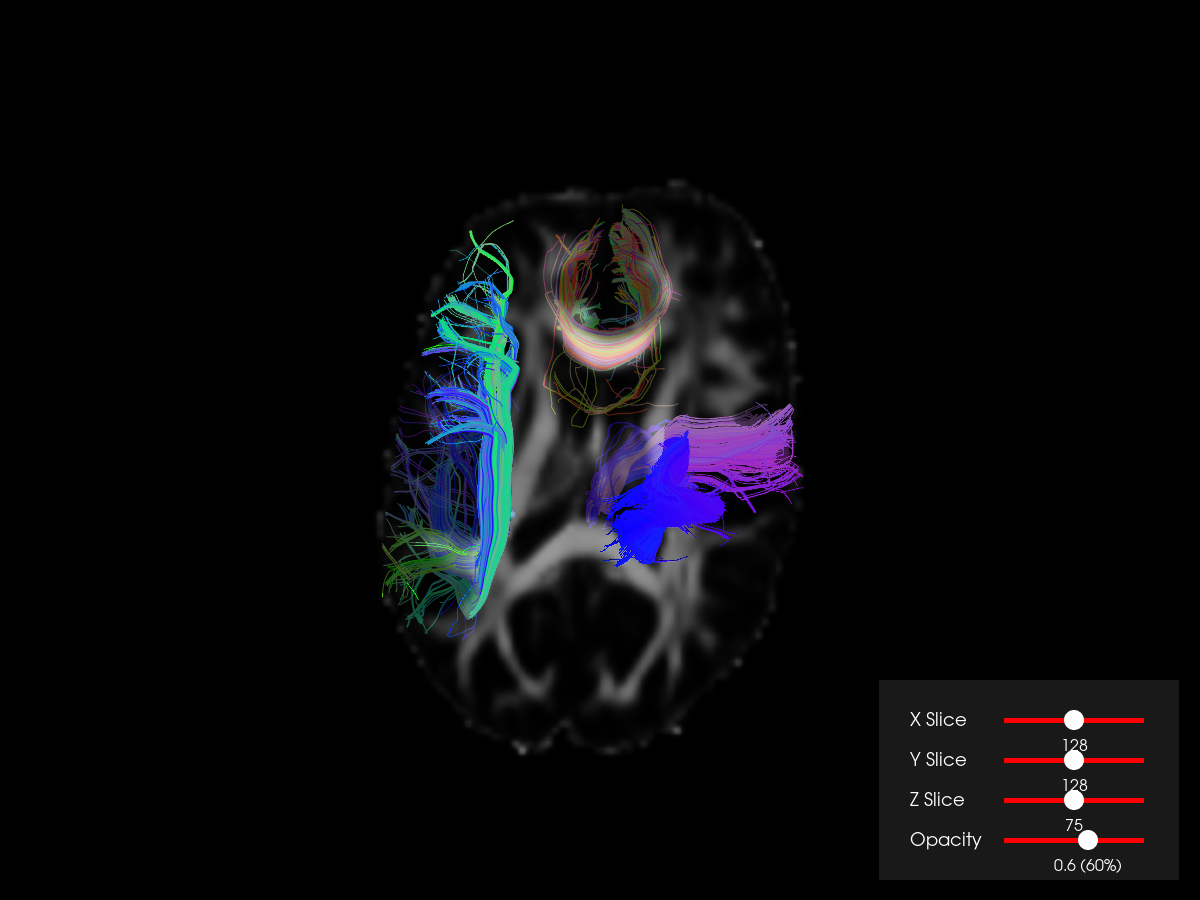
DIPY uses FURY (Fast Unified Renderer for You) as its 3D visualization engine. Beyond static screenshots, FURY supports interactive scenes with sliders, opacity controls, and video export. This tutorial builds a scene that overlays fiber bundles on FA and T1 image slices with real-time interactive controls.
Building the scene
The scene combines two types of objects:
- Image slicers — axial, sagittal, and coronal slices of the FA or T1 volume
- Streamline actors — the fiber bundle rendered as colored tubes
from dipy.viz import window, actor

scene = window.Scene()

# Image slicer (axial)
slice_actor = actor.slicer(fa_data, affine)
scene.add(slice_actor)

# Streamlines
stream_actor = actor.line(streamlines, colormap="plasma")
scene.add(stream_actor)
Interactive sliders
LineSlider2D widgets let the user scroll through slices without reloading the scene:
from fury.ui import LineSlider2D

slider_z = LineSlider2D(min_value=0, max_value=fa_data.shape[2] - 1,
                        initial_value=fa_data.shape[2] // 2,
                        label="Z slice")

def change_slice_z(slider):
    slice_actor.display(z=int(slider.value))

slider_z.on_change = change_slice_z
scene.add(slider_z)
Separate sliders handle the x, y, and z axes, and an opacity slider lets the user fade the image slicer in and out without hiding the bundles.
Recording a session
FURY can record the interactive session to a video:
showm = window.ShowManager(scene, size=(1200, 900))
showm.start()  # opens the interactive window; press Q to exit
Setting record_filename="viz_advanced_tutorial.mp4" captures the output while the user interacts with the scene.